Roughtake
Designing and vibe coding a social film platform
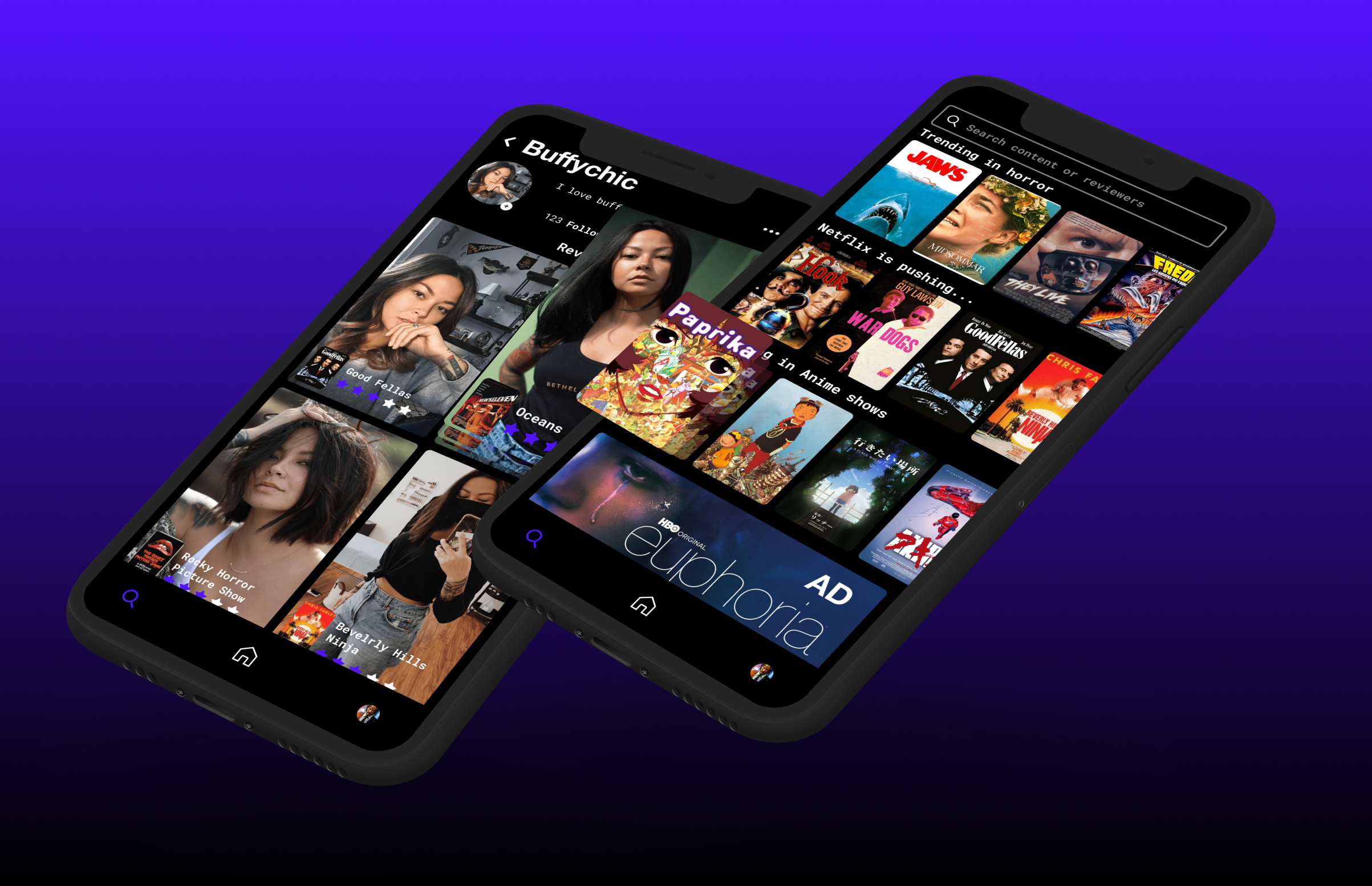
The intersection nobody had built
"IMDB has the data. TikTok has the engagement. Nobody had combined them for the single most universal question in entertainment: what should we watch tonight?"
Roughtake is my solo-built iOS and Android app at the intersection of social media and cinematic discovery; swipe-based filtering meets short-form video reviews. After a real stall in development, I live-coded it back to life using Claude and Cursor, wearing every hat from project manager to product designer to AI-assisted developer. This isn't a polished client case study. It's an honest, ongoing account of what it looks like to ship something you believe in, on your own dime.
The market signal that started everything
The "what should we watch" conversation is a nightly ritual in most every household
Where the gaps lived
Three existing players served parts of the need. None served the whole thing.
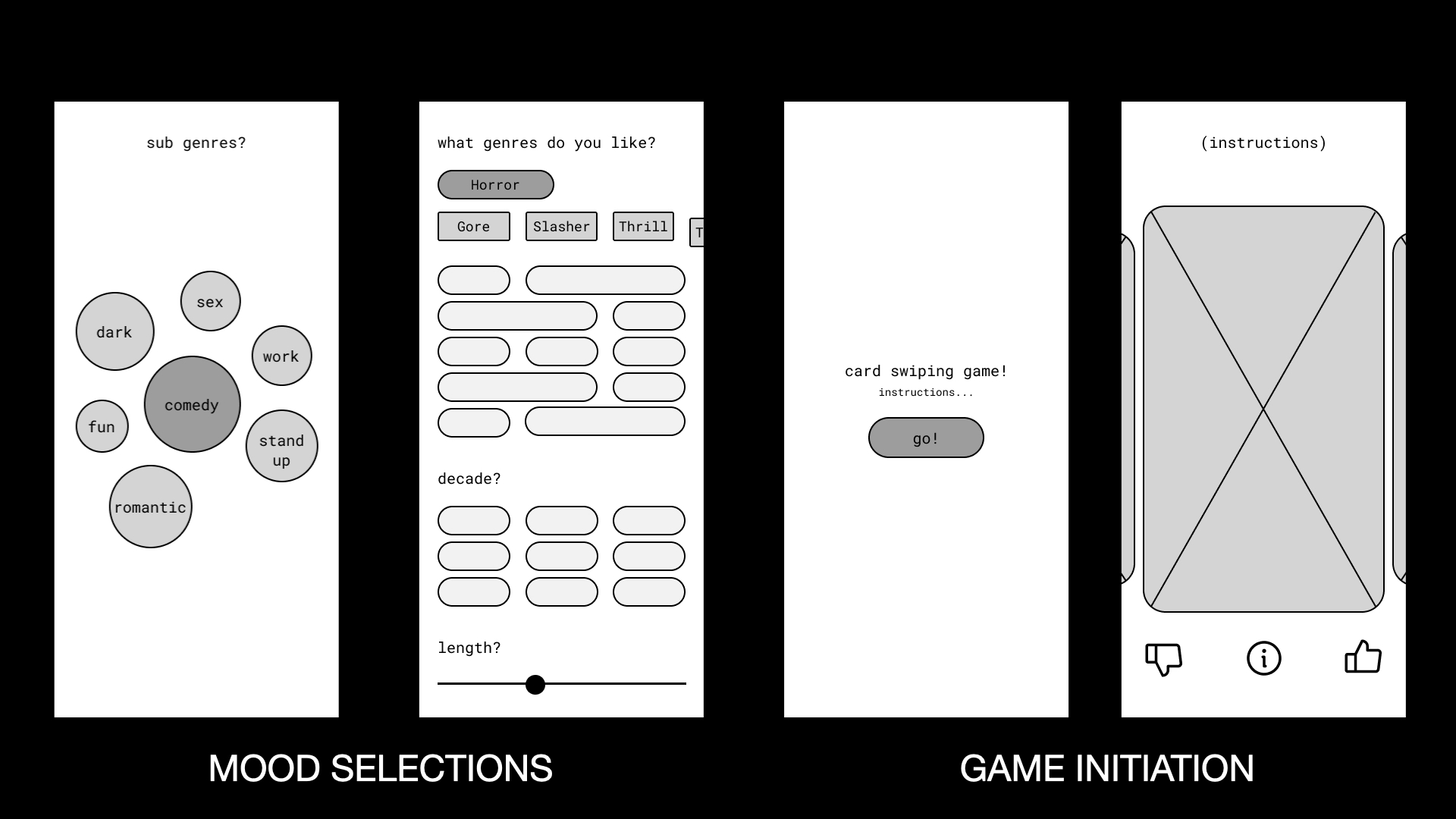
From bubbles to hi-fi in four iterations
Being the only designer meant the process was nonlinear, fast, and deeply personal. Every decision had to pull double duty: serving the user and convincing future collaborators.
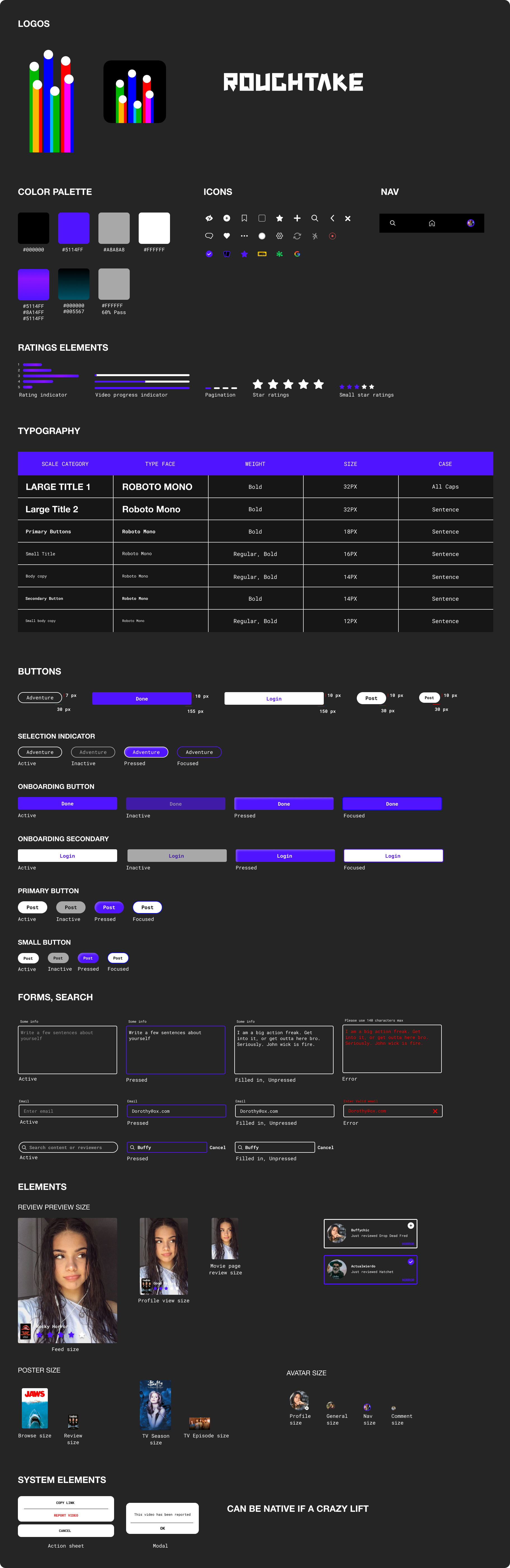
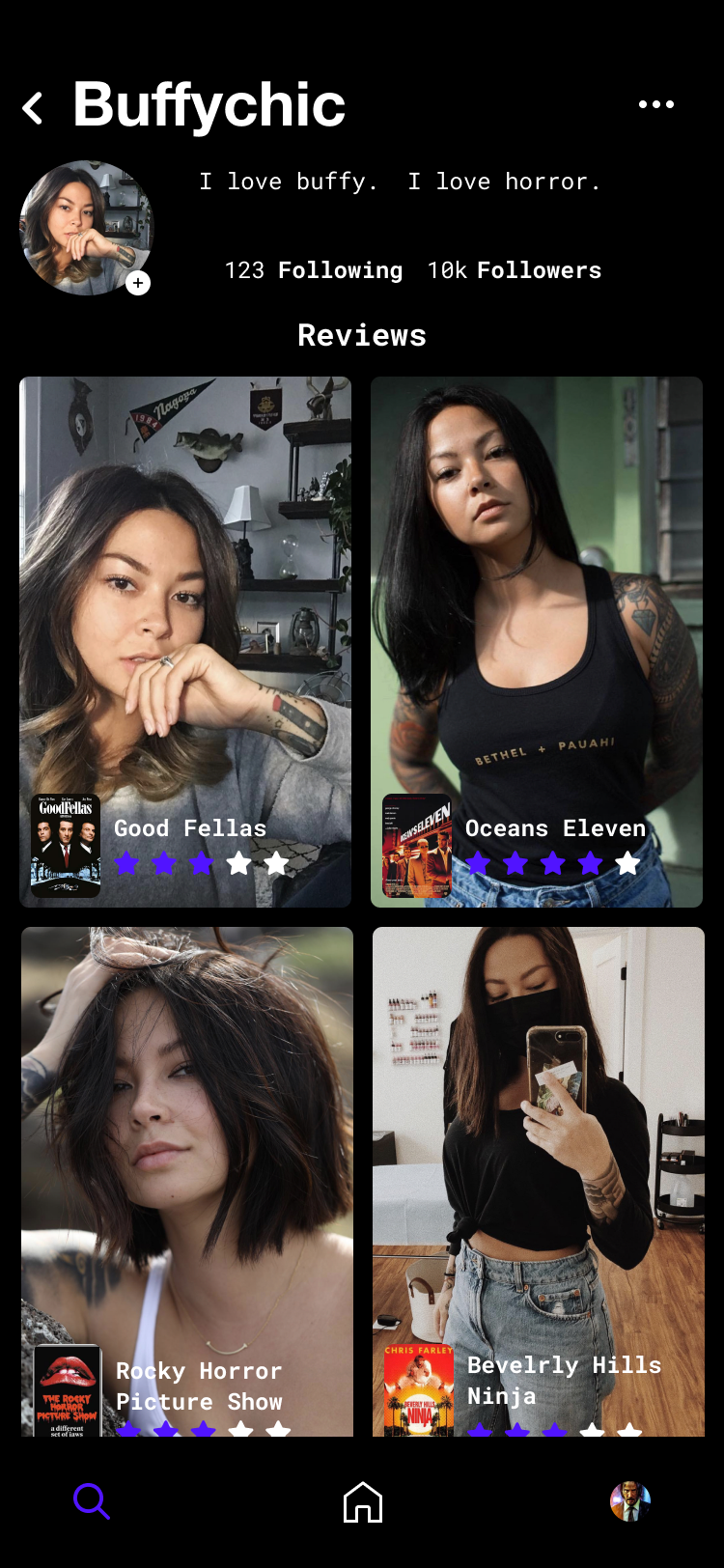
Before a pixel went to development, the visual language was locked. Every color, typeface, and component state was documented to keep the handoff unambiguous.

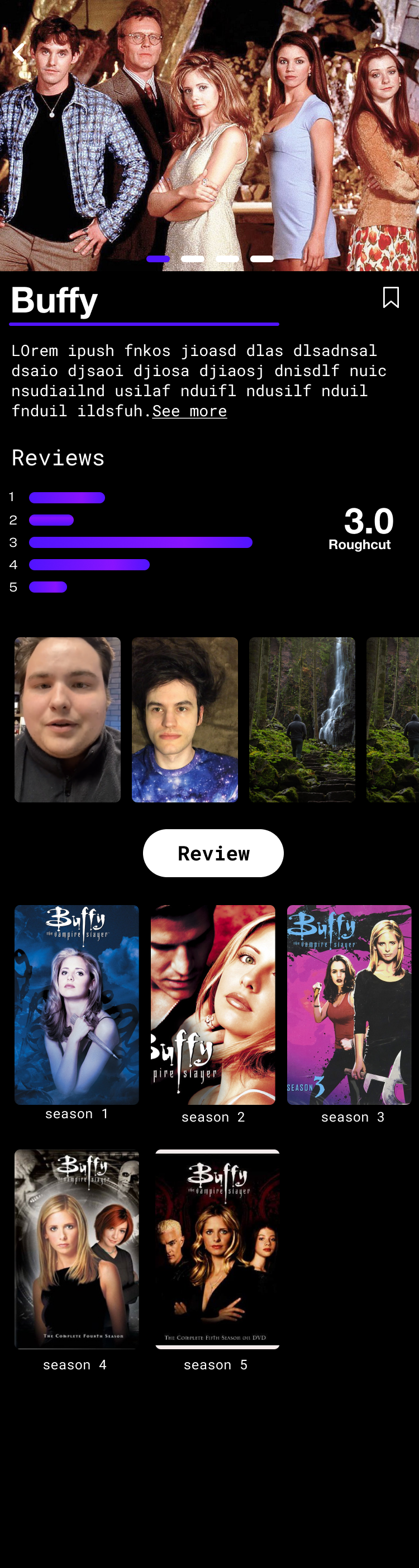
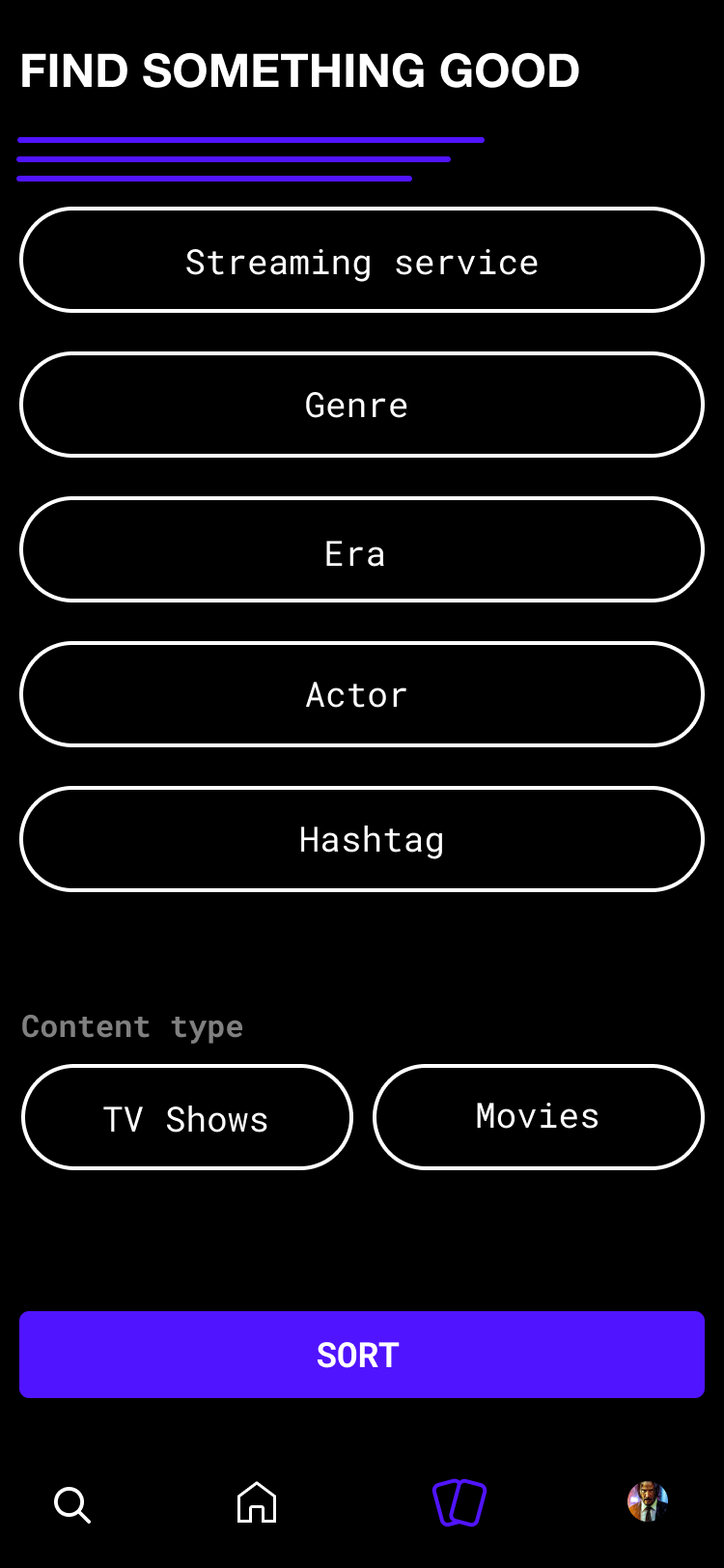
Being your own PM has real consequences
When you're the designer and the stakeholder and the product manager, the quality of your own documentation directly affects the output, and the bill.
I had to write and manage updates and changes meticulously. Each ticket: the expected behavior, edge cases, the definition of done, and Figma component links with annotated states.
I had to learn enough about REST API responses to write accurate specs. Not to code, but to design with realistic data shapes and latency in mind.
A bad handoff. A better tooling landscape.
The developer left me with a broken app. AI-assisted coding gave me a way to fix it and keep going.
The dev delivered source code locked to V1 most likely to prevent me from taking the project elsewhere.
Navigation was broken, the home screen had no functionality, and there was no admin panel. I rebuilt all of it: navigation architecture, home screen, and a full admin panel for content and security, then re-released three times to fix what was never delivered.
When the original dev left me with a broken product, I picked it back up myself using Claude and Cursor. I recoded the Kotlin codebase from scratch, rebuilt the full navigation architecture, and built an admin control dashboard for content moderation and security. I've since shipped multiple new versions to the App Store through each round of that process. The bottleneck was never the design. It was the cost and friction of translating specs into code through a contract engagement. That problem is now solved.
What this project taught me
The biggest failure wasn't design. It was not building accountability into the developer contract. No functional acceptance criteria, no phased payment tied to working software, no source code rights language. I learned every one of those lessons the hard way and won't repeat them. That knowledge transfers directly to how I structure vendor relationships and client engagements.
I taught myself enough iOS, Android, and backend development to recode what the original developer left broken, implement features directly from my own Figma specs, and ship independently. I can now move from design to working feature without a handoff. That's not a replacement for engineering, but it fundamentally changed what I can communicate, validate, and deliver on my own.
When you're implementing your own designs, you find the problems fast. Animations that looked right in Figma don't feel right in the app. Interaction states you forgot to document. API response shapes that break your layout assumptions. Closing the loop between design and implementation made me a sharper designer. The specs I write now are tighter because I know what it costs when they're not.
No QA team. No staging environment. Just a device, a crash log, and a design that needs to work. Learning to debug across iOS and Android, trace backend errors, and maintain a rolling QA log built a discipline I wouldn't have developed any other way. I now write specs with error states and edge cases front-loaded, because I've personally had to fix every one of those after the fact.